
Virta Health
Virta HealthMedical
4.5484.00 Reviews
- Version
- 3.30.1
- Installs
- 100.00K
- Age Rating
- Everyone
Screenshots

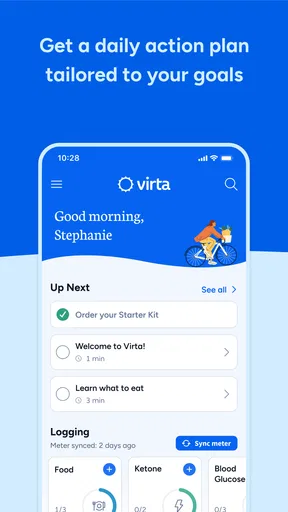
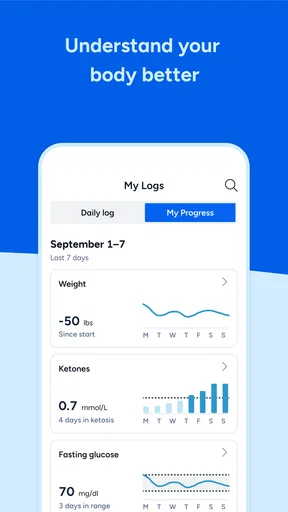
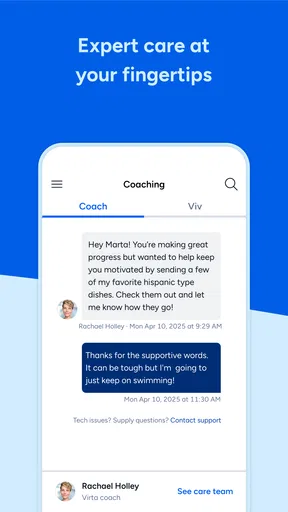

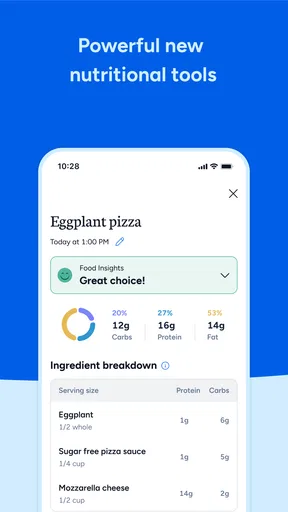
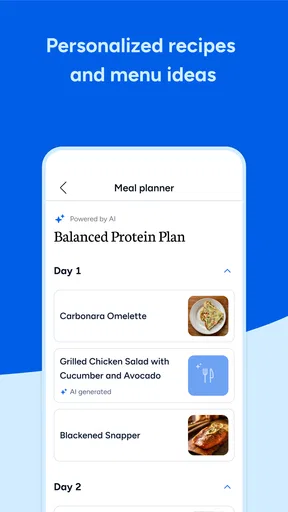
Our Review of Virta Health
 Analysis by Appyee
I approached Virta Health as a medical app for people who want more structure around weight management and diabetes care, not as another casual food diary. Its promise is ambitious, and that makes the details of daily use especially important. In my experience, the app makes the most sense when you are ready to pay attention to patterns, communicate consistently with your care team, and turn health advice into repeatable habits rather than chasing a quick result.
Virta Health is developed by Virta Health and is available free of charge for everyone to download. It is listed for users aged Everyone, works on Android versions starting with 9, and has reached over 100 thousand installs. The current release is version 3.30.1. Those details make it relatively approachable from a device-compatibility point of view, although access to a medical program and the suitability of its approach are separate questions that deserve careful thought.
How I built a useful daily workflow
The first mistake I would avoid is opening the app only when I feel motivated. A health app becomes useful when it fits into ordinary routines: after waking up, before a meal, during a short break, or at the end of the day. I found that a simple, repeatable check-in habit is more valuable than trying to record every possible detail perfectly. The goal is to create a dependable picture of what is happening, not to turn the phone into a source of guilt.
For someone managing diabetes, the most practical workflow starts with deciding what information matters for the care conversation. That may include food choices, symptoms, energy, weight-related changes, or glucose information that the person already tracks through their usual medical routine. I would keep entries close to the event they describe. Waiting until the weekend makes memory less reliable and makes the app feel like homework.
A realistic example is a busy weekday. I might check the app in the morning, make a brief note after lunch, and review the day in the evening rather than attempting a long retrospective. If a meal produces an unexpected reaction or a particular routine is difficult to maintain, that is more useful to discuss than a polished record that hides the messy parts of real life. Consistency beats perfect tracking because a care team can work with an honest pattern.
Virta Health is not a replacement for urgent medical help. If I experienced severe symptoms, a dangerous glucose reading, or a situation that felt immediately unsafe, I would use the appropriate emergency or clinical channel instead of waiting for an app response. That distinction is easy to forget when a medical app feels personal, so I would keep it clear from the beginning.
The app’s store summary focuses on losing weight and reversing diabetes, but I would treat those words as a direction rather than a guaranteed personal outcome. Diabetes is not one identical condition for every person, and medication, medical history, pregnancy, kidney health, eating patterns, and other factors can change what is appropriate. The strongest use of this app is as part of a supervised plan, not as permission to make major treatment changes alone.
What I would prepare before relying on it
Before starting, I would write down the questions I want answered. Am I trying to lose weight, improve glucose control, understand difficult eating situations, or stay accountable between appointments? A clear purpose changes how I use the app. Without one, it is easy to collect information without knowing what action should follow.
I would also gather a short list of current medications, relevant diagnoses, common meal times, and the moments when my routine usually breaks down. This preparation does not require a complicated spreadsheet. It simply gives the medical conversation a useful starting point and reduces the chance that I forget an important detail during a busy day.
One non-obvious advantage of this approach is that it exposes friction in the routine itself. If I repeatedly miss an evening entry, the problem may not be laziness; perhaps dinner is late, the phone is charging elsewhere, or the chosen tracking moment is unrealistic. Moving the check-in to a calmer part of the day can make the habit sustainable without adding more effort.
Settings and personal boundaries worth checking
I would review the app’s available settings as soon as I installed it, especially anything related to notifications, account access, communication, and the way information is displayed. I would not assume that the default arrangement matches my schedule. A reminder that arrives during work or while I am driving is easy to ignore, and repeated ignored reminders quickly become background noise.
Notification control matters for another reason: medical information is personal. I would check whether message previews appear on a lock screen and adjust my phone’s privacy settings if other people might see the device. This is a practical step that many users overlook because it sits partly in the phone’s system settings rather than inside the app itself.
I would also check which device I plan to use most often. If I switch between a phone and another supported device, I would make sure I understand where I expect to read messages and complete routine actions. A health workflow becomes unreliable when I assume that every screen, reminder, or piece of information will feel identical everywhere.
Another setting-related habit is to keep the app updated through the normal store process. The current version is 3.30.1, but I would still read update notes when available rather than treating updates as invisible maintenance. Medical apps can change navigation or communication behavior, and noticing those changes early is preferable to discovering them when I need an important function.
At the same time, I would avoid changing a medical plan merely because an app screen makes a suggestion feel convenient. Settings can improve reminders and organization; they do not replace professional judgment. If a prompt conflicts with instructions from my clinician, I would raise the conflict instead of trying to reconcile it through guesswork.
Faster patterns that make the app easier to keep
Experienced use is less about tapping quickly and more about reducing decisions. I would establish one regular time for reviewing the day and one backup time for days when the schedule collapses. I would also keep the phone accessible during the moments when I normally make entries. These small changes remove the “I will do it later” gap where most tracking habits disappear.
I would use short, meaningful notes instead of writing a diary. For example, a note about an unusually late meal, a stressful meeting, or poor sleep can explain a difficult day better than a long description of every ingredient. The useful question is, “What might help me or my care team interpret this?” That keeps the workflow focused and protects time.
A second advanced habit is to review several entries together before communicating with the care team. Looking at a cluster of ordinary days can reveal a recurring obstacle that is invisible in isolation. Perhaps weekends are inconsistent, a particular meal is hard to manage, or symptoms appear after a schedule change. I would bring those patterns forward directly instead of waiting for a perfect explanation.
I would also separate controllable actions from outcomes. I can choose when to check in, prepare a meal, ask a question, or follow an agreed plan. I cannot force the scale or glucose readings to change on a precise timetable. Keeping those categories separate makes the app more useful emotionally as well as practically, because a difficult result becomes information rather than proof that the entire effort failed.
For families or shared households, I would create a privacy-conscious routine. I might choose a private review moment and avoid leaving sensitive screens open. At the same time, I would tell a trusted person what kind of support is actually helpful. “Please remind me to check in” is more useful than asking someone else to police every meal, and it preserves ownership of the process.
Virta Health also works best when questions are specific. Instead of sending a vague message such as “I am struggling,” I would describe the situation, what I tried, and what I need clarified. That creates a more efficient exchange and makes it easier to distinguish a practical habit problem from a medical concern that needs prompt attention.
Where the approach reaches its limits
The biggest limitation is that no app can make a demanding health plan effortless. People who dislike recording information, have unpredictable schedules, or want a completely passive solution may find the routine burdensome. Even a well-designed workflow still asks for attention, honesty, and follow-through.
I would also hesitate to recommend it as a stand-alone answer for someone who wants a general calorie counter, a simple exercise log, or a broad wellness dashboard. Those tools may be better when the main goal is casual fitness tracking. Virta Health is more clearly suited to a medically oriented journey, where structured communication and diabetes-related goals matter more than collecting a wide range of lifestyle metrics.
It is not the right choice for self-directed medication experiments. Anyone considering major dietary changes, medication adjustments, or a different treatment approach should involve a qualified clinician. The app can support a care process, but a screen cannot examine a patient, interpret every complication, or take responsibility for an unsafe decision.
Another limitation is that motivation can vary sharply from day to day. A person may begin with enthusiasm, then feel discouraged when progress is slower than expected. I would judge the app over the quality of decisions and conversations it helps produce, not only by visible short-term results. That is a more realistic standard for a medical tool.
The app’s average rating is 4.5 from around one thousand ratings, with 484 written reviews. I see that as a useful sign that many people find value in it, but not as a guarantee that the experience will suit every diagnosis, lifestyle, or care arrangement. Ratings describe broad satisfaction; they do not decide whether a particular medical program is appropriate for me.
Who should use it, and who should look elsewhere
I would recommend trying Virta Health to an adult who wants a focused diabetes and weight-management program, is comfortable using a smartphone for regular health communication, and is prepared to work within professional guidance. It may be especially useful for someone who has tried to make changes alone but needs a more organized way to notice patterns and stay connected to care.
I would be cautious if my needs are primarily emergency-based, if I cannot reliably access the app, or if I want a completely private self-help tool with no care-team involvement. I would also look for a different type of app if my main interest is meal inspiration without medical oversight or a broad exercise tracker with social features.
Before committing emotionally to the program, I would ask how it fits with my existing clinician, medications, and insurance or care arrangements. The app itself is free to download, but that does not answer every question about receiving a particular medical service. Understanding the care pathway first prevents disappointment later and helps me use the app for the purpose it is actually designed to support.
My mastery verdict
After using it as a structured medical companion, I see Virta Health as most valuable when it becomes part of a repeatable routine rather than a once-a-week check-in. Its strengths are focus, accountability, and the possibility of turning everyday experiences into better conversations about diabetes and weight management. The best results come from keeping entries honest, reviewing patterns, and asking precise questions.
Its limitations are equally important: it cannot replace urgent care, personal clinical judgment, or the effort required to change habits. It may feel too involved for someone seeking a lightweight wellness app, while a person with serious diabetes goals may appreciate that same focus. My recommendation is to use it as a guided care tool, not as a promise of automatic transformation.
With that expectation, the app is easy to understand and potentially practical in daily life. I would install it when I wanted a more organized relationship with my health team, then build the smallest routine I could maintain consistently. If that routine produces clearer questions, better awareness, and safer decisions, Virta Health is doing something worthwhile even on the days when progress is gradual.
Verdict
Strengths of Virta Health
- Personalized diabetes coaching from certified health professionals.
- Combines app guidance with connected glucose and activity tracking.
- Focuses on lifestyle changes that can improve long-term health.
- Educational content helps users understand diabetes management.
- May be covered through eligible employers or health insurance plans.
Limitations of Virta Health
- Availability depends on employer or insurance eligibility.
- Program costs may be unclear without completing an eligibility check.
- Requires consistent logging and participation to deliver useful guidance.
- Connected devices may not work with every phone or health platform.
- Best suited to eligible diabetes patients, not general wellness users.
Similar Picks in This Category
View All
WebMD: Symptom Checker
WebMD, LLC4.1

Microphone Amplifier
DOSA Apps4.2

Anatomy Learning - 3D Anatomy
3D Medical OU4.5

Period Tracker and Calendar
SimpleInnovation4.9

GoodRx: Prescription Coupons
GoodRx4.8

CVS Health
CVS Pharmacy4.5
Frequently Asked Questions
What is Virta Health, and who is it designed for?
Virta Health is a digital health program focused primarily on helping adults with type 2 diabetes and related metabolic conditions improve their health through nutrition, education, coaching, and clinical support. It is not simply a calorie-counting app or a general fitness tracker. Eligibility, available services, and treatment options may depend on your location, employer, health plan, medical history, and whether Virta accepts your enrollment request.
How does the Virta Health program work after downloading the app?
After registration, users generally complete health and medical information, receive guidance from a care team, and use the app to track relevant habits and health measurements. Depending on the plan, the program may include nutrition recommendations, educational content, messaging with health coaches or clinicians, and monitoring of metrics such as weight or blood glucose. The exact experience can vary according to your condition and membership benefits.
Is Virta Health free, or does it require insurance or an employer benefit?
Virta Health is not necessarily free for everyone. Many members access it through an employer, insurance provider, or other eligible healthcare benefit, while availability and out-of-pocket costs can differ significantly. Before downloading or beginning enrollment, check Virta’s eligibility information and confirm coverage with your employer or insurer. You should also ask about copayments, deductibles, equipment costs, and what happens if coverage ends.
Can Virta Health replace my doctor or diabetes medication?
No. Virta Health is intended to complement medical care, not replace your primary-care physician, specialist, emergency services, or prescribed treatment without professional supervision. Some users may receive medication guidance from Virta clinicians, but changes should only be made through the care team and according to an individualized plan. Never stop insulin or other medication on your own, and seek urgent medical help for serious symptoms.
What devices and personal information does Virta Health require?
The information and equipment required depend on your enrollment and treatment plan. Users may be asked to provide health details, dietary information, weight readings, blood glucose data, or other measurements, and some members may receive or use connected medical devices. Because this involves sensitive health information, review the app’s privacy policy, permissions, data-sharing practices, and account-security options before enrolling or connecting external devices.
